Vartotojo Kūrimas
1. To createNorint asukurti uservartotoją, firstreikia clickpaspausti onant thesraigto cogmygtuko iconviršutiniame indešiniame thekampe topekrano, rightatsiskleidusiame ofmeniu thepasirenkant screen,"Users" and in the dropdown select „Users“sekciją: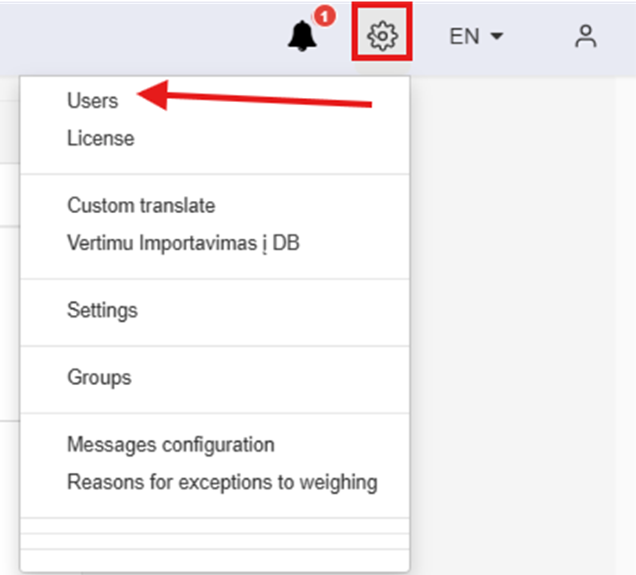
2. In theAtsidariusiame openlange windowpaspauskite clickand on the „"Create New User“User" button:mygtuko: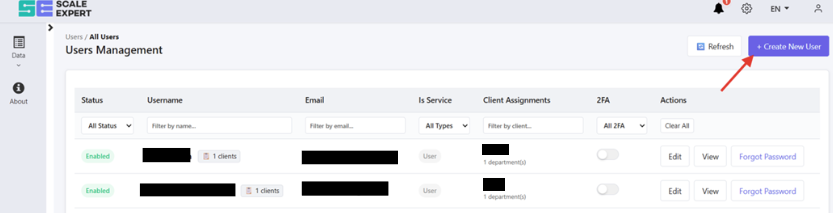
3. Enter theĮveskite Usernamevartotojo andprisijungimo Emailvardą forir theel. newpaštą usernaujai accountpaskyrai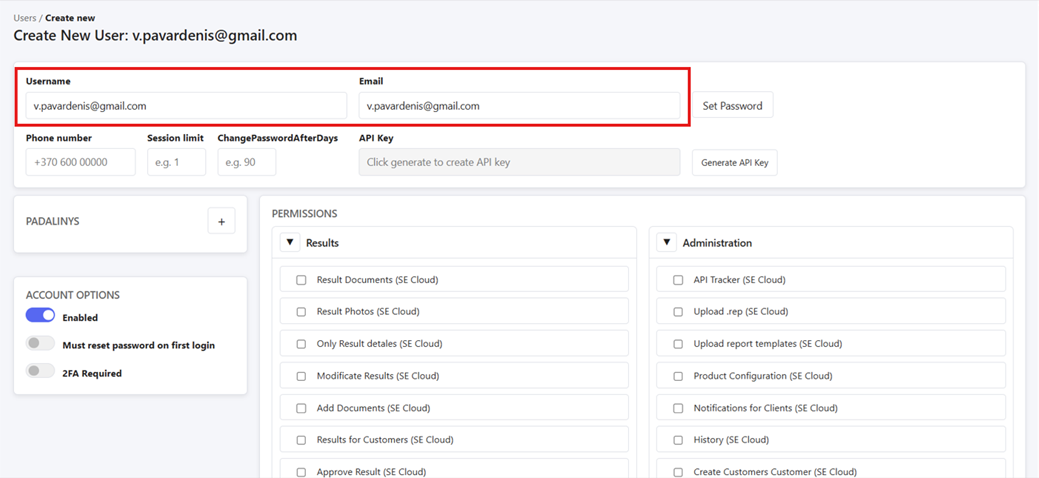
4. After enteringĮvedus theinformaciją, information,paskyros inopcijose thereikia accountįjungti optionsslaptažodžio turnkeitimą onpo passwordpirmo resetprisijungimo onir firstpaspausti login, and click on „"Set Password“Password":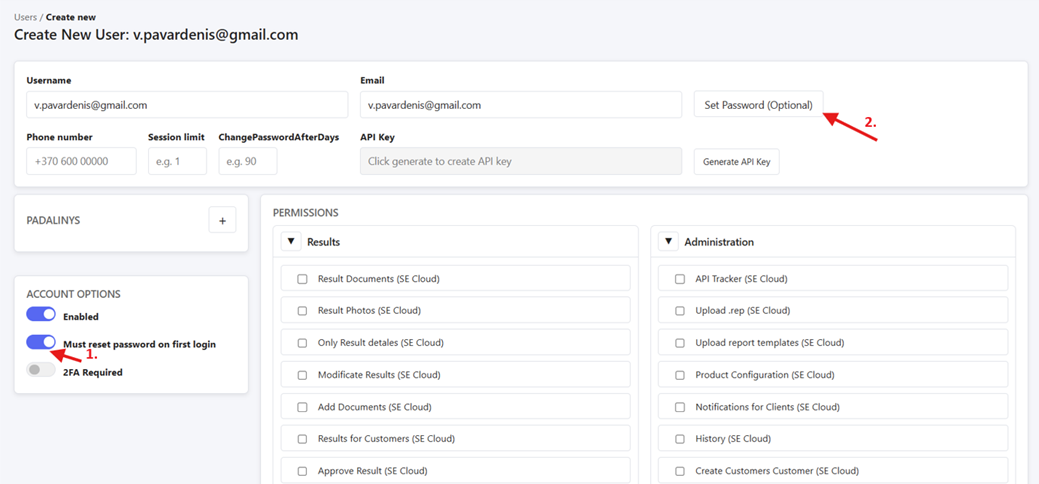
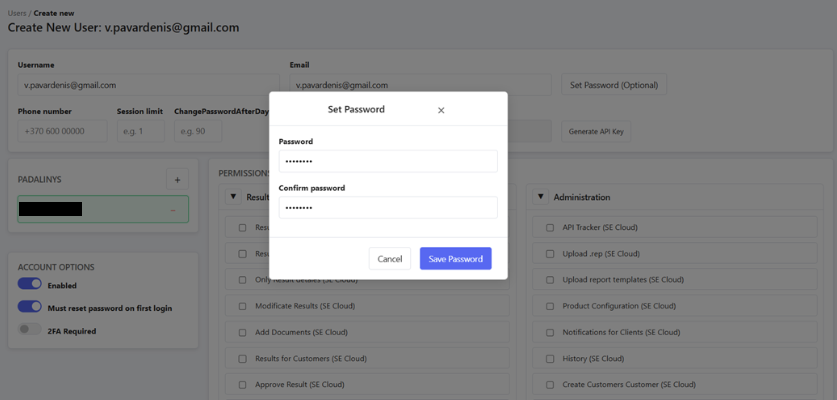
5. Then setAtsidariusiame alange temporarynustatykite passwordlaikiną forslaptažodį thepirmam user to log in for the first time in the window that opened:prisijungimui:
6. After that,Po selectto apasirinkite departmentpadalinį inpadalinių thesekcijoje departmentspaspaudus section,pliuso bymygtuką clickingir theįvedant plusinformaciją signatsidariusiame and then entering the information in the window that pops up.lange.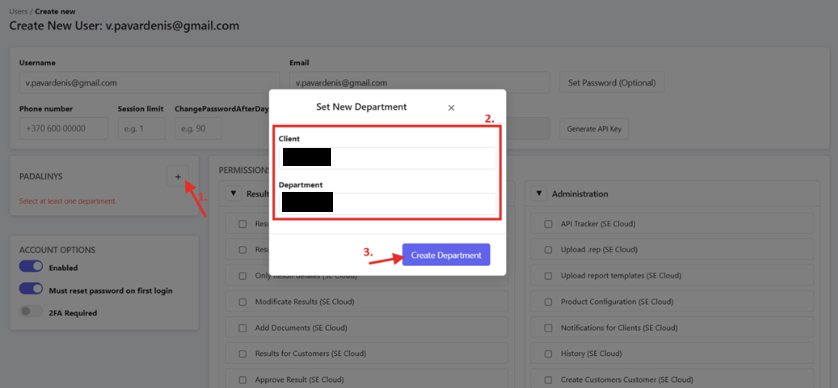
7. After thePo departmentpadalinio isir selectedslaptažodžio andnustatymo, passwordgalima set,matyti youpokyčius shouldpadalinion seesekcijoje their changesmygtuko inpasikeitimą theį department"Change sectionPassword"
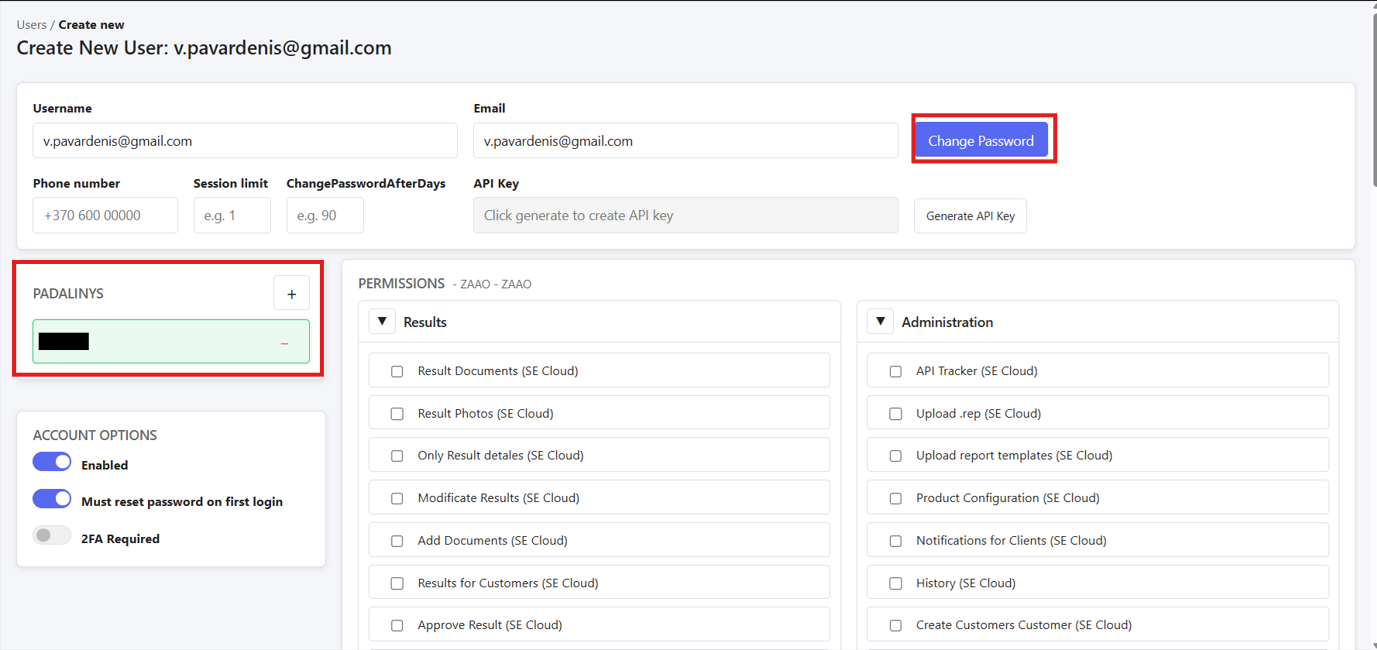
8. button previously usedPo to setpasirinkite theteises passwordpaskyroje sayingpagal „Changežemiau Password“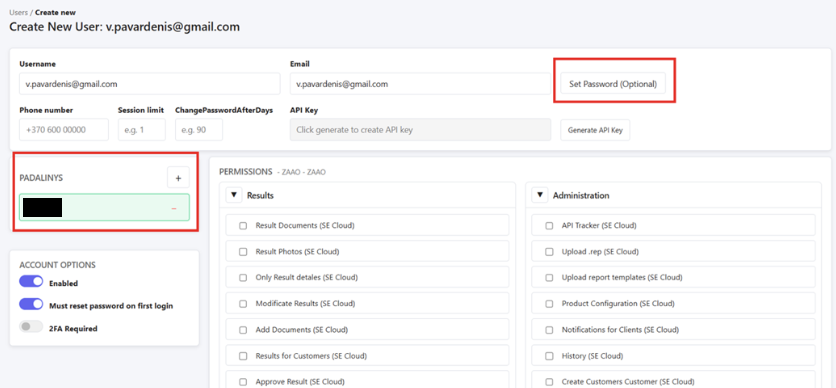
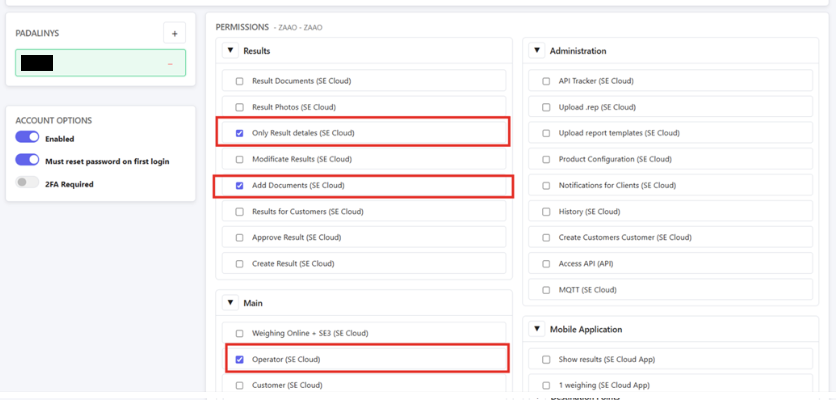
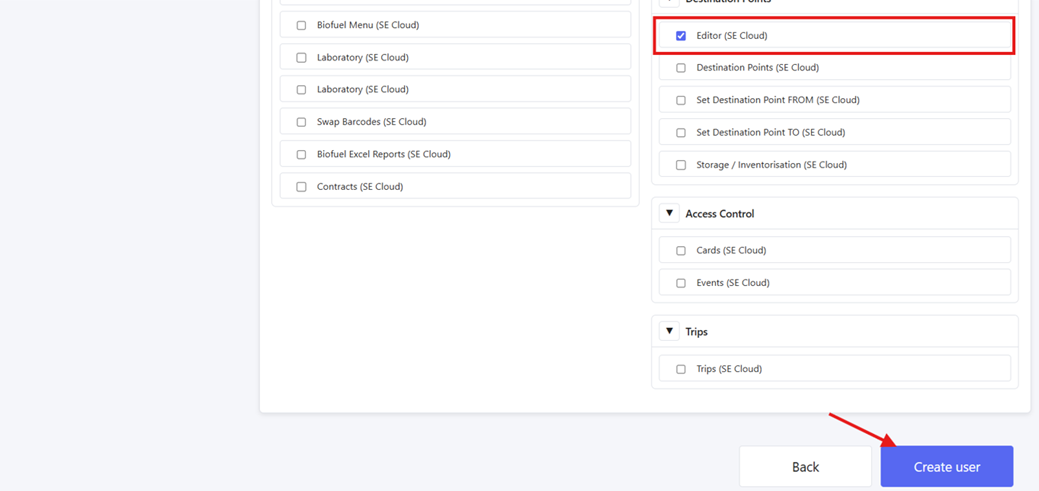
8.esančias Thenekrano selectnuotraukas, thegale permissionspaspaudžiant for the user acount as in the following screenshots, afterwards finishing creation by clicking on „"Create user“User" atmygtuką the bottom:apačioje: